
My notes on how to set water hardness (salt use ratio), 3-in-1 tablet use and similar – why not share them? 🙂
Basic info – model and make
- Brand: Gorenje
Serbian store product page - Model: GS541D10X
- Article No: 737489
- Description: freestanding dishwasher, slim (45 cm)
Buttons / commands
I will post a picture below (in the programming section)
1 Main power switch
2 Programme selector
3 Auto wash
4 Intensive wash
5 Eco wash
6 Glass wash
7 1 hour wash
8 Speed wash
9 Auto open
10 Half load
11 Delayed start
12 Display
13 Rinse aid indicator
14 Salt indicator
How to configure / program it

- Hold Programme selector (2) and SpeedWash (8) for a second or two.
- Display (12) will show “1:xx” (“1:03” for example, or similar).
This means you’re in the programming mode!
SpeedWash (8) moves you through options (in a loop with each press):
- 1:xx – How much shine to use (from 1:00 for very little ~ to 1:05 for very much).
- 2:xx – Water hardness i.e. how much salt is used (from 2:00 for very soft ~ to 2:09 for very hard water).
- 3:xx – Are you using 3-in-1 tablets (3:00 is NO; 3:01 is YES).
- 4:xx – Play a sound when done (4:00 is NO; 4:01 is YES).
Press the Main power switch (1) to exit the programming mode.
Fun fact
I mistyped the description of switch (1) to “Man power switch” – Freud could probably explain why. 🙂
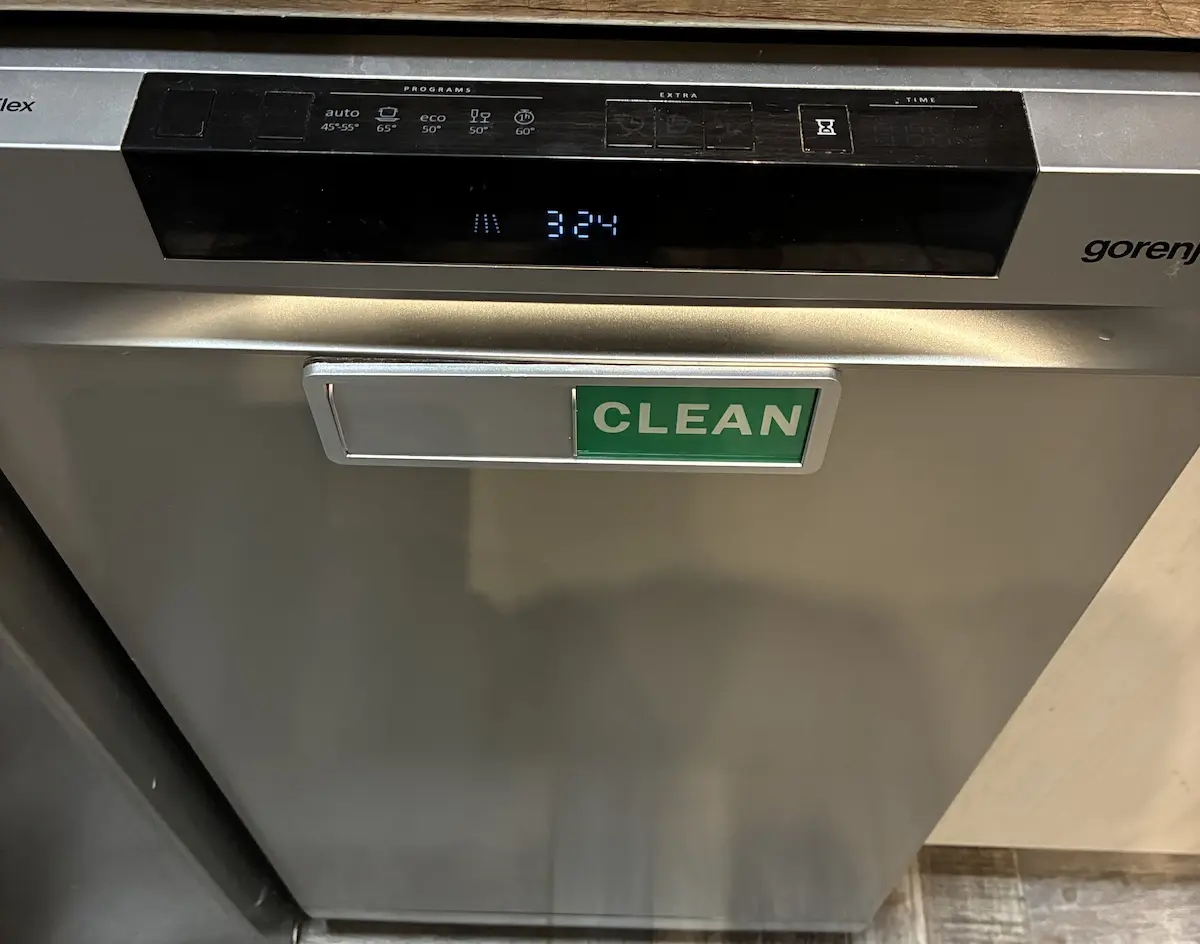
The “Clean” magnet is very practical, because I’m the most absent-minded person I know:
My affiliate link (yacths won’t pay for themselves) from the German Amazon.de shop where I got it from).

Last updated:
Originally published:
